The DataFitness ControlOne Agent is already doing its job of collecting vast amounts of data for about three years. The first ‘official’ commit to the Dataether DataFitness repository was on the day after my birthday in November 2020, and before that there were some initial versions stored in my private repos.
We have been tracking data developments over time at one company for close to two years know, really disclosing interesting insights and monitoring information fit for governance and general data management purposes.
Also, the collected data can be used in many different ways, including full-text fuzzy search and vector search (or ‘hybrid search’ as the combination is called nowadays), delivering additional information that can be fed back into the company for direct action. We even did a first successful test creating executable scripts for mass data movements based on customer driven rules and decision criteria (yes, the scripts were actually executed).
Development on the Agent is still ongoing. A small list of recent changes:
Updated Tika to version 2.8.0, this should give more detail on geospatial data. Some fixes to deal with the extracted data in a better way.
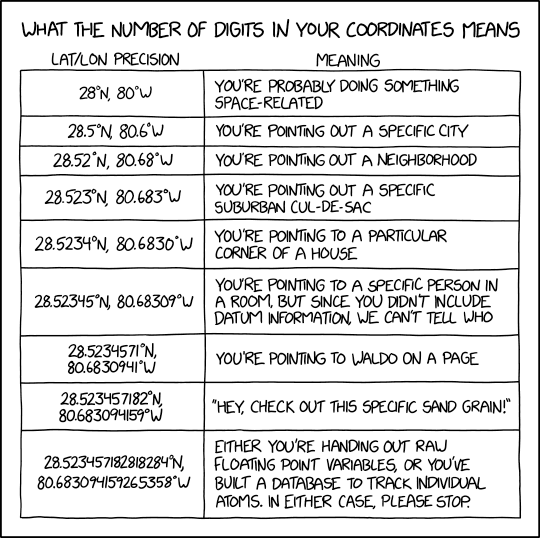
One of my geospatial stokpaardjes is nagging about (too many) decimals in coordinates. Someone else has been kind enough to wrap that message in a funny & understandable way, see https://xkcd.com/2170/
Bij Dataether gebruiken we verschillende manieren om informatie te extraheren en genereren om digitale assets uit te pluizen, verrijken en begrijpen. Denk aan metadata, content extractie, full text fuzzy search, rule based reasoning en meer op een veelheid aan digitale bronnen.
Natuurlijk is het voor mensen ook interessant om ‘gewoon’ met je data te kunnen praten, dus een voor de hand liggende optie hiervoor is gebruik van een chatbot op de eigen ‘body of knowledge’ (vooruit, kennislichaam in goed Nederlands).
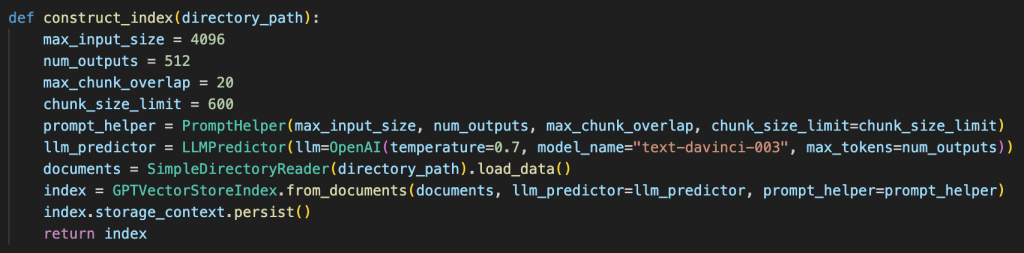
Dus zelf aan de slag met een chatbot a la ChatGPT en dan eens verder onderzoeken hoe dit zo in te richten dat de relevante informatie nog makkelijker beschikbaar komt voor gebruik.
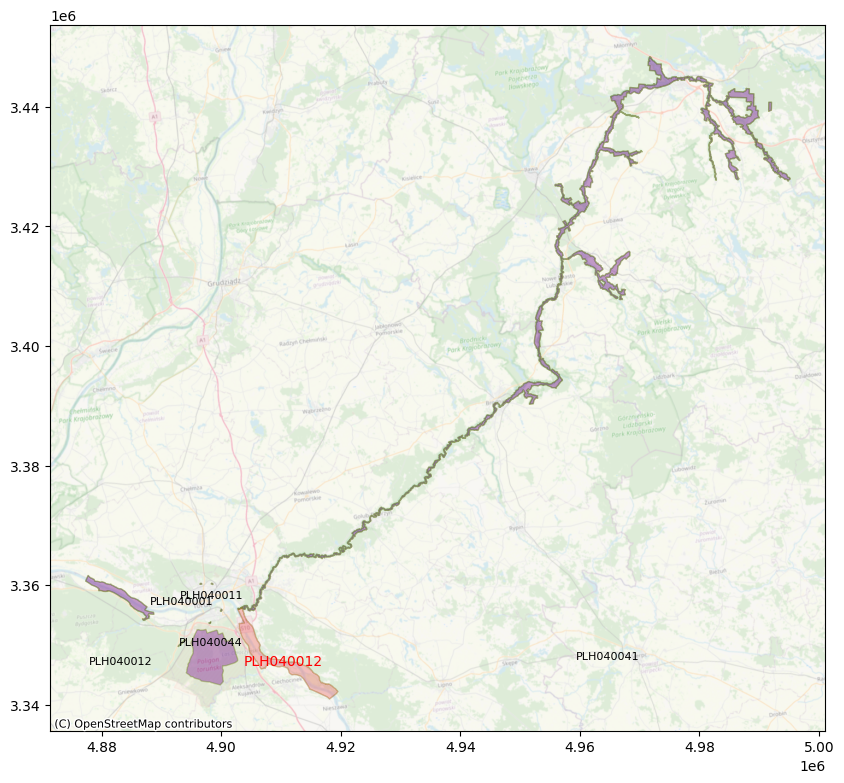
Recently I was asked about options to do ‘find nearest’ geospatial calculations for a set with lots of polygon features, and whether something like GeoSPARQL, a (spatial) database or something else like Python and GeoPandas would be a good fit. The exact question was finding the nearest top 3 Natura2000 areas for all Natura2000 areas. This came up in some of the project work Sensing Clues is doing in cooperation with their field partners.
My advise after some discussion was not to do geospatial calculations, at least not more often than necessary, meaning don’t do them runtime but run the operation upfront and store the results as properties with the data (e.g. additional triples in a graph database, some optional fields in a document oriented data platform, or just a good-old lookup table in a relational database).
I started with the Natura2000 data in Esri Shapefile format, wrote some Python code to load and process it with GeoPandas and ran the job. No optimisations, not split to run stuff in parallel or whatever. After about 2-3 days only 4000 areas were done (single process execution on my 2015 MacBook Pro), and I did not want to wait anymore so changed the approach and switched to PostgreSQL/PostGIS.
Decided to use the Natura2000 Geopackage instead of the Shapefile because running find nearest after Shapefile import in PostGIS seemed to be slower than using the Geopackage. Disclaimer: no idea yet why imported Shapefile is slower, no deep investigation done, maybe number of decimals after import, or difference in complexity of the (multi) polygon features, or the way either data from Shapefile or Geopackage are spatially indexed by PostGIS. Of course ogr2ogr helped with loading into PostGIS.
Also started looping over the Natura2000 features instead of one time join all, wrote a procedure for this (prefer procedure over function because in procedure you can commit in between and track progress easier). Some features were still slow to process because they are very big and complex, and/or so are their neighbors. Some Natura2000 areas can span complete rivers and waterway systems covering tens to hundreds of square kilometers.
With this approach more than 10.000 features were done in less than a day, still with the slower ones consuming a fair amount of time. In less than two days the whole set of 27020 areas finished. A quick examination of the results revealed that the results of PostgreSQL/PostGIS and Python/Geopandas find nearest operation are the same most of the tim e. Again disclaimer that I did not check where and why they differ. But I’m sure PostGIS is ok 🙂
One optimisation that might make calculations way simpler and faster, is doing rubberband or envelope on these areas with ST_ConvexHull or ST_OrientedEnvelope, then do nearest on these ‘bounding polygons’.
In this case doing geospatial calculations only once and then add the results as properties or in a lookup table works because the set of Natura2000 areas does not change often. So redoing the whole set when needed is way cheaper then running nearest operations every time where doing analytics for specific areas. And in real life there are many more of these cases where preparing the data by creating smart lookups works fine so it can be a time and resource saver to consider.
The full description and code used can be found at https://github.com/taatuut/NATURA9000 It also includes some example code to visualise the results. Of course quick&dirty code but it should work for you too in case you want to test it.
If you find this interesting and have ideas how to improve this, or want to help Sensing Clues anyway with the work they do then let me know, and check out https://sensingclues.org/ anyway. Also looking for volunteers with GeoServer skills!
No, I’m not referring to an album from one of my favourite metal bands but to the package just delivered at my doorstep. Unboxing quickly done et voila, there it is the Viam Rover!
Dawn of a new era, weird science to come, can’t wait to get my hands dirty! Not a saga yet but for sure to be continued.
First DataEther blog for 2023 was just published (by me :-)). Sometimes it makes sense to build things yourself, sometimes integrating with existing solutions makes even more sense. This latest post describes how DataFitness can expand storage system management functionality as it can be found in TreeSize Pro. Most probably applies in a similar way to other solutions too. So head to https://www.dataether.nl/work/jams-treesize-pro-and-dataether-data-fitness-overview/ to find out more.
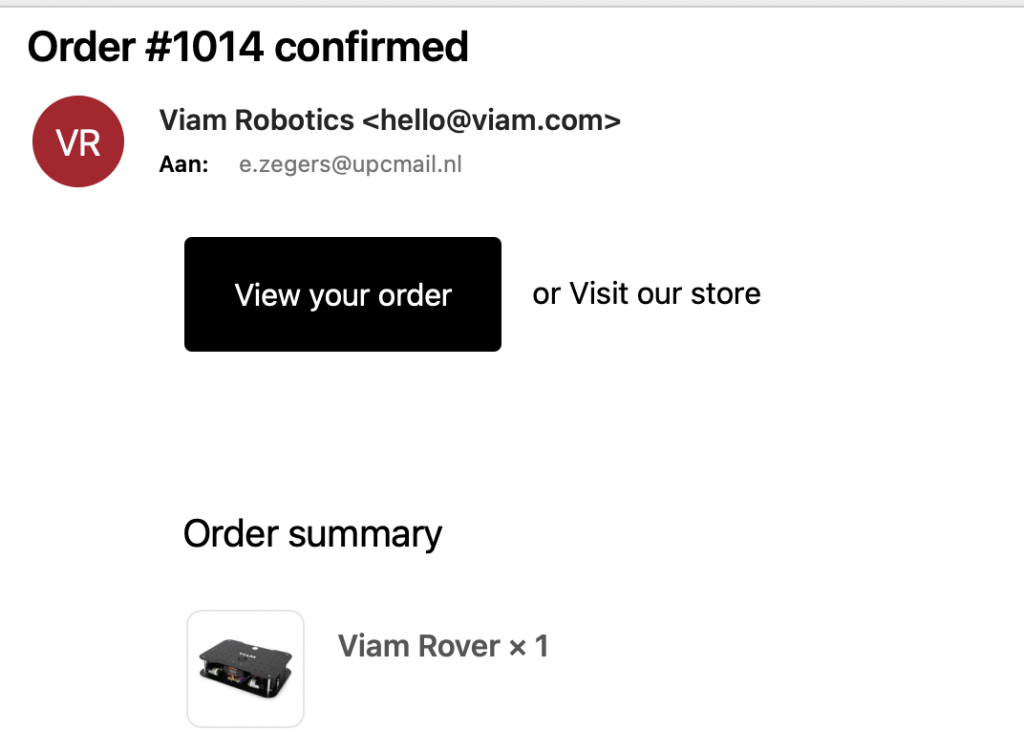
I don’t know, maybe I should ask ChatGPT some time. What I do know is that I’ll soon have the possibility to build my own droid with the Viam Rover! Look at this mail…
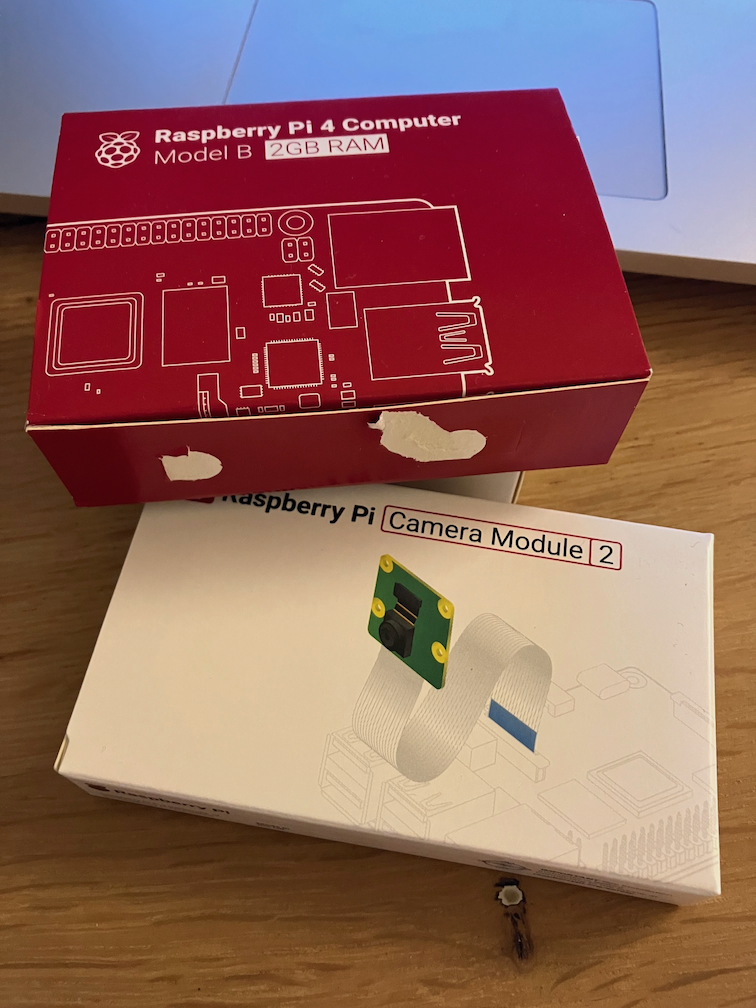
And I already got me the Raspberry stuff I need with the Rover. I played a bit with the Viam robotics platform in the recent past and created and controlled a virtual robot. But way cooler to build a real one of course. Oh, for those who want to try Viam with a real robot right now, go to https://www.viam.com/resources/try-viam and take over a Rover in their robotics lab in New York for a while.
So from now on keeping my eyes on the mailbox while finding some inspiration. I have some help with that by the way.
Yes, these firespitting robots once aired on Wondere Wereld with Chriet Titulaer for those amongst us old enough to remember that crazy 80s show.
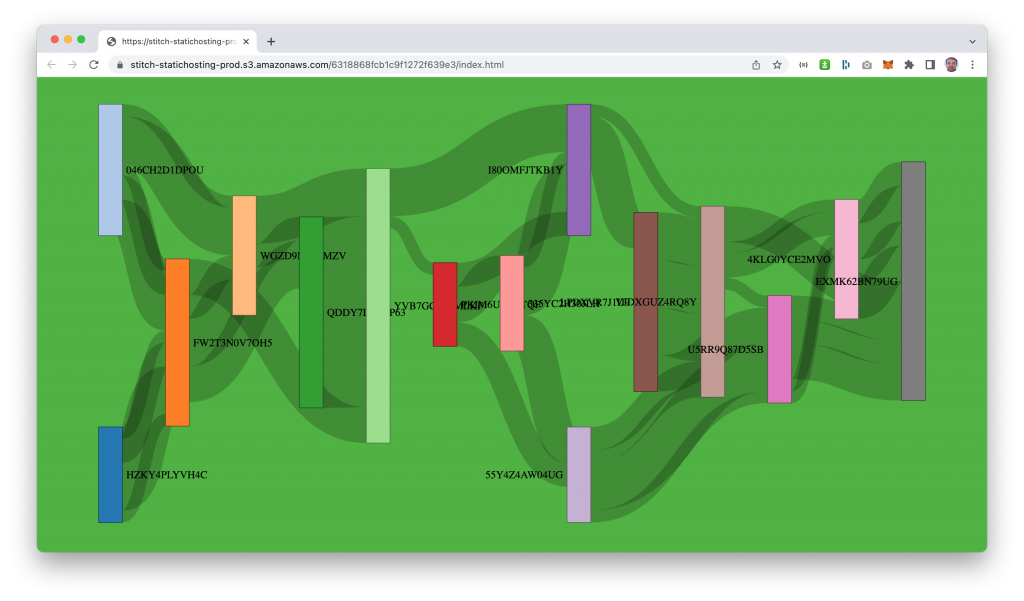
I have an old habit of creating ‘screensavers’ from semi-random generated data. An example from the past (2013, long lost era in IT dimensions) was this peacefully floating Force-Directed Graph based on XML data. Back then I worked with a certain database that consumed XML like cornflakes, munch munch. However, the sources disappeared in the realms of time, or the space vortex (maybe I need to clean up my archives some day…). Hence I present today another one, because inspired by an interesting question at work I spent a lunchbreak putting a new edition together.
It features a Sankey diagram (thanks d3.js) backed by MongoDB Atlas (duh) that gets its contents from a Python script spitting out as much data as you want to mongoimport, loading it into a MongoDB Atlas database of choice in da cloud (works with the Atlas M0 free tier TM). And it uses nifty elements from Atlas App Services like HTTPS Endpoints, Functions and Hosting. Really advanced stuff! The background color is MongoDB green of course. Runs nicely on the mobile too, enjoy
Het is weer een hele mondvol, de titel van deze post. Een korte discussie met mezelf of het dan beter helemaal in het Engels of Nederlands kan, heb ik gevoerd maar sla ik op deze plek nu over. Wel even uitleg wat PII oftewel Persoonlijk Identificeerbare Informatie betekent:
*) PII is alle informatie, al dan niet actief of passief beheerd binnen een organisatie, waarmee potentieel de identiteit van een persoon achterhaald kan worden. Denk aan gegevens als zoals naam, burgerservicenummer, geboortedatum en geboorteplaats, maar ook informatie van verwanten of biometrische gegevens, en daarnaast alle andere informatie die aan een persoon is gekoppeld of kan worden gekoppeld, waaronder medische, educatieve, financiële en werkgelegenheidsinformatie.
Onder ‘gevoelige informatie’ versta ik hier alle andere niet per se persoonsgebonden gegevens die voor een bedrijf van belang zijn vanuit oogpunt van intern en/of externe (vertrouwelijke) processen, intellectueel eigendom, concurrentie oogpunt etc.
Om even met het resultaat te beginnen: dat zijn actiegerichte bevindingen op basis van de toegepaste regels in de scan met de Data Fitness Agent om deze PII of andere gevoelige informatie te vinden. Deze bevindingen komen automatisch bij de relevante personen terecht komt voor verdere opvolging. Als ondersteuning daarbij is de informatie binnen de online Data Fitness klantomgeving ook toegankelijk in dashboards voor verdere analysedoeleinden en visuele presentatie. Hieronder een voorbeeld van zo’n dashboard, en daarna de verdere uitleg over het waarom en hoe tot dit resultaat te komen.
Waarom client side rule processing met de Data Fitness ControlOne Agent?
Waar het om gaat is het volgende: in de huidige situatie in je organisatie heb je ongestructureerde data (‘losse bestanden’ zoals Office documenten, PDF, afbeeldingen, project informatie en meer…). Die bestanden kunnen gevoelige informatie zoals PII bevatten, maar het is niet bekend welke bestanden dit betreft. Dan kun je met de Data Fitness content scan de inhoud van deze bestanden uitlezen en doorsturen naar de Cloud omgeving voor verdere analyse.
Maar wat als bepaalde inhoud van bestanden niet buiten de organisatie naar een externe omgeving mag, omdat deze bijvoorbeeld PII of andere gevoelige data bevat, maar je wel wilt weten om welke bestanden het gaat? Dan kun je met de client side content check alleen de bevindingen rapporteren naar de Cloud omgeving en daarop verdere analyse uitvoeren en acties ondernemen.
Dus als je binnen je organisatie alleen informatie die aan bepaalde regels voldoet wilt of mag gebruiken voor verdere verwerking, of deze juist wilt uitsluiten, dan is de content check de juiste optie (deze opzet kan natuurlijk ook bij de meta scan gebruikt worden, maar in de content scan is vaak meer te ‘vinden’).
Hoe werkt het?
Stel je voor, je hebt wat willekeurige data waarin misschien PII of andere gevoelige informatie voorkomt…
…en daarnaast regels om te matchen met die PII of organisatie specifieke informatie. In onderstaande code staan een paar regels voor Waterschappen waarvoor op basis van publiek beschikbare documenten gekeken is naar mogelijke definities van regels voor dossier- en projectnummer. Voor de PII regels zijn simpele voorbeelden gegeven voor BSN, IBAN, paspoort en meer. Deze zijn nog niet compleet (want voor iets als BSN is ook een aanvullende berekening als aanvullende validatie check nodig), maar daarover in een volgende blog meer.
Een aantal standaard regels is voor alle Data Fitness gebruikers beschikbaar, en aanvullende regels kunnen door de klant worden toegevoegd in de Data Fitness Cloud omgeving.
Bij de scan wordt de regels opgehaald uit de Cloud omgeving en lokaal toegepast. Een kijkje onder de motorkap laat zien dat aan de inhoud bevindingen (findings) worden toegevoegd voor elke regel die matcht.
De resultaten worden vervolgens naar de Data Fitness Cloud omgeving gestuurd, afhankelijk van de instellingen zijn dat de content of bevindingen, of beide.
De analyse van de bevindingen wordt in een overzichtelijk dashboard gepresenteerd, en daarnaast worden er acties aan gekoppeld, zoals versturen van notificaties naar relevante personen of afdelingen binnen de organisatie met de prioriteit en het voorgestelde vervolg.
Het interactieve dashboard biedt ook mogelijkheden om de informatie te filteren om snel tot specifieke inzichten te komen.
En nu?
Inzet van client side regel gebaseerd matchen van data op PII of andere gevoelige informatie geeft actief zicht en controle op de gegevens binnen de organisatie. Hiermee heb je vanuit de privacy wetgeving of andere externe relevante regelgeving én interne kaders voor datamanagement de mogelijkheid in handen om gericht verantwoordelijk beheren en beheersen van ongestructureerde data binnen de organisatie uit te zetten en op te volgen.
Interessant om binnen je eigen organisatie eens op deze manier bestanden te laten bekijken, of andere vragen? Neem dan contact op met info@dataether.nl
The latest new feature in Data Fitness, is the connection with Windows Active Directory (AD) to add user information like name and email to the meta and content scan results. Associating usernames to scan results is another step forward in the analysis and automatic translation into actions: adding the user names makes it possible to relate changes over time at file and folder level to specific users or the departments they belong to, and the email address can be used to directly send out analysis results with proposed actions to relevant people.
How do we do it?
The Data Fitness scan now also keeps track of Windows ACL (Access Control Lists) information. For example a file (or folder) at a network location like:
might have the following ACL information on ownership and permissions:
S-1-5-21-3623811015-3361044348-30300820-1013:(I)(F)
NT AUTHORITY\SYSTEM:(I)(F)
S-1-5-21-3623811015-3361044348-30300820-3607:(I)(F)
S-1-5-21-3623811015-3361044348-30300820-513:(I)(M)
BUILTIN\Administrators:(I)(F)
The ACL overview contains both SIDs (Security Identifiers) in a S-x-x-xx-xxxxxxxxx-xxxxxxxxxx-xxxx format, and more descriptive default roles like BUILTIN\Administrators, together with information on permissions -> the (I)(F)(M) stuff .
The SID is is a unique, immutable identifier of a user, user group, or other security principal within a specific company domain*, that can be used to lookup other relevant user details so let’s do that.
Connect SID with User Name
The next step is to aggregate the ACL information for a full scan to a list with unique SIDs, something like :
Then we use this aggregated list to query Active Directory and retrieve information like Name and UserPrincipalName (the name in email format). There are more properties available, and in the future we might use these too, together with additional information on groups and the permissions.
Using the ACL and Active Directory data
As a result of the previous steps there is a Collection datafitness.ADUser2ACL with ADUser information connected to ACL SIDs in the Data Fitness database. Not every file or folder has a AD user match because the creator and owner can also be a ‘non-empolyee’ roles.
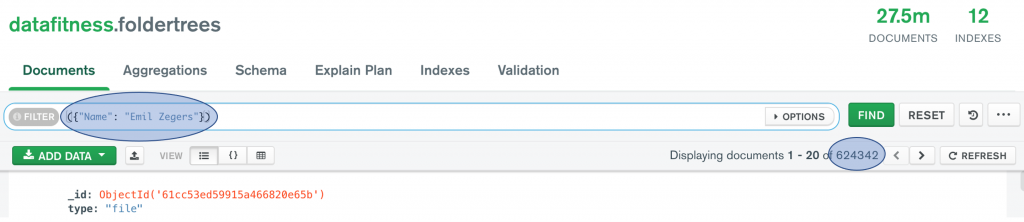
This information is now used for further analysis to find all content from a specific user (or Windows system user or group), and detect and report on changes over time. The code statement and screenshot from Compass below give an idea of how to get this data for a user. In Data Fitness user friendly reports (on changes over time on numbers, size, location, type of files and more…) are generated and can be send to relevant users.