First DataEther blog for 2023 was just published (by me :-)). Sometimes it makes sense to build things yourself, sometimes integrating with existing solutions makes even more sense. This latest post describes how DataFitness can expand storage system management functionality as it can be found in TreeSize Pro. Most probably applies in a similar way to other solutions too. So head to https://www.dataether.nl/work/jams-treesize-pro-and-dataether-data-fitness-overview/ to find out more.
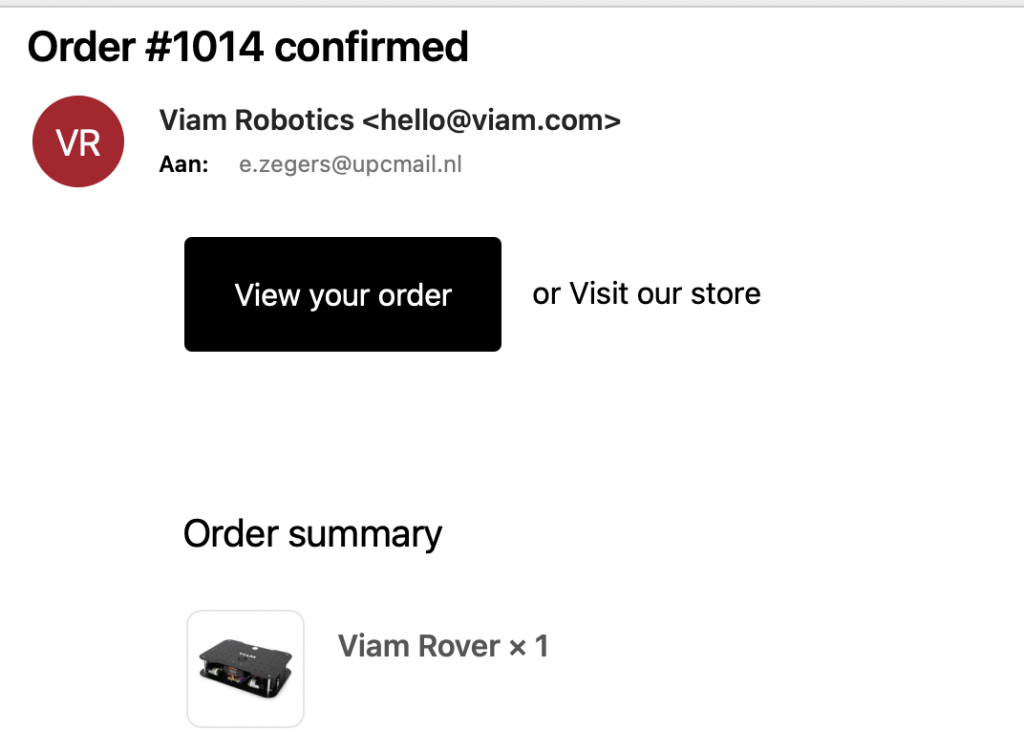
I don’t know, maybe I should ask ChatGPT some time. What I do know is that I’ll soon have the possibility to build my own droid with the Viam Rover! Look at this mail…
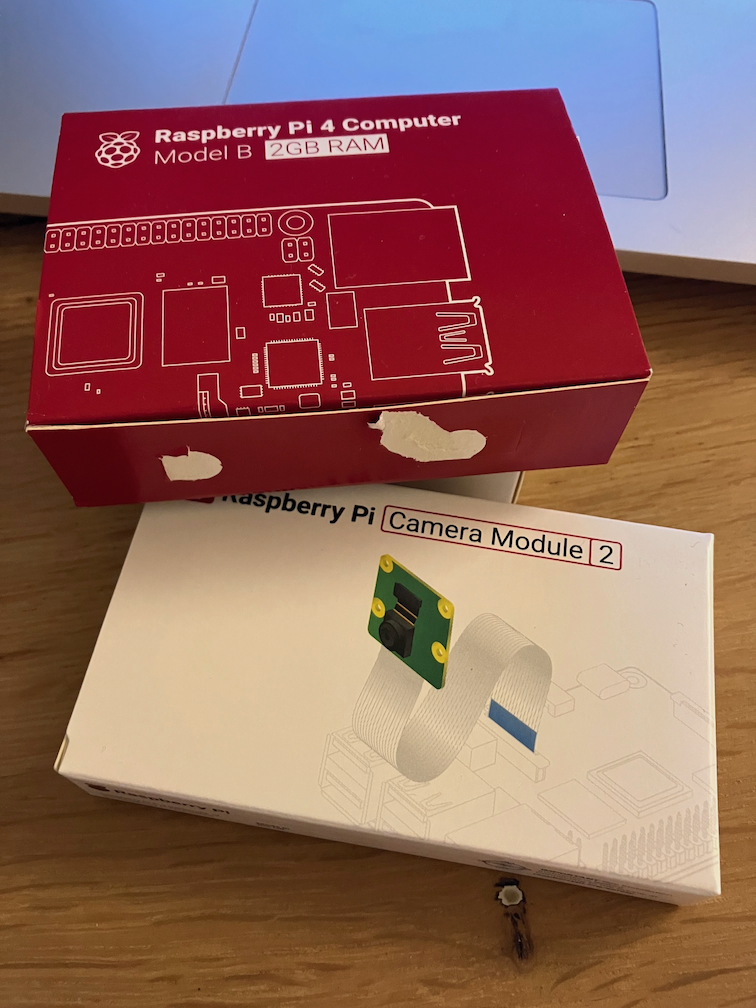
And I already got me the Raspberry stuff I need with the Rover. I played a bit with the Viam robotics platform in the recent past and created and controlled a virtual robot. But way cooler to build a real one of course. Oh, for those who want to try Viam with a real robot right now, go to https://www.viam.com/resources/try-viam and take over a Rover in their robotics lab in New York for a while.
So from now on keeping my eyes on the mailbox while finding some inspiration. I have some help with that by the way.
Yes, these firespitting robots once aired on Wondere Wereld with Chriet Titulaer for those amongst us old enough to remember that crazy 80s show.
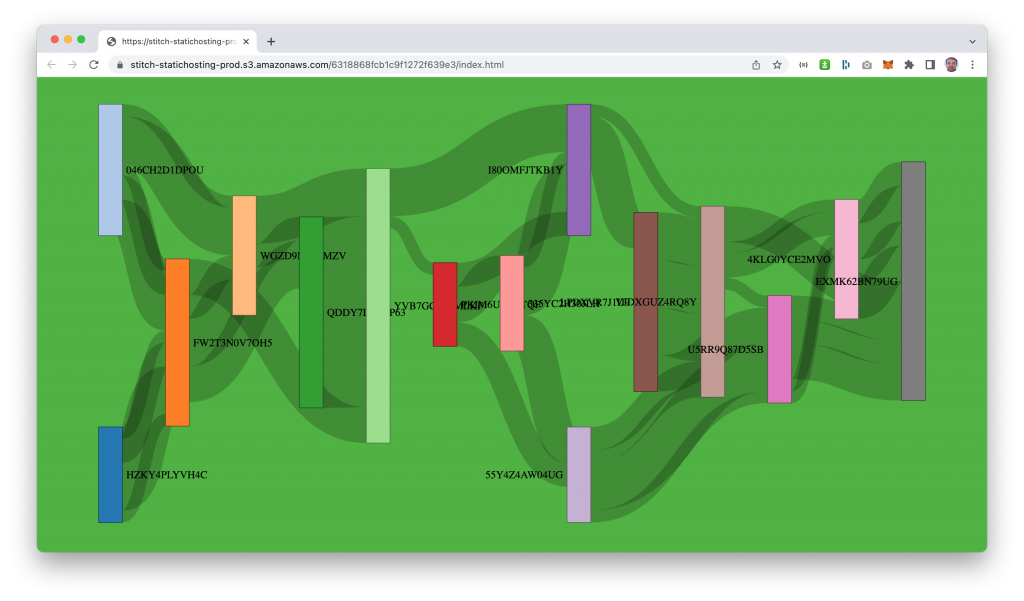
I have an old habit of creating ‘screensavers’ from semi-random generated data. An example from the past (2013, long lost era in IT dimensions) was this peacefully floating Force-Directed Graph based on XML data. Back then I worked with a certain database that consumed XML like cornflakes, munch munch. However, the sources disappeared in the realms of time, or the space vortex (maybe I need to clean up my archives some day…). Hence I present today another one, because inspired by an interesting question at work I spent a lunchbreak putting a new edition together.
It features a Sankey diagram (thanks d3.js) backed by MongoDB Atlas (duh) that gets its contents from a Python script spitting out as much data as you want to mongoimport, loading it into a MongoDB Atlas database of choice in da cloud (works with the Atlas M0 free tier TM). And it uses nifty elements from Atlas App Services like HTTPS Endpoints, Functions and Hosting. Really advanced stuff! The background color is MongoDB green of course. Runs nicely on the mobile too, enjoy
Het is weer een hele mondvol, de titel van deze post. Een korte discussie met mezelf of het dan beter helemaal in het Engels of Nederlands kan, heb ik gevoerd maar sla ik op deze plek nu over. Wel even uitleg wat PII oftewel Persoonlijk Identificeerbare Informatie betekent:
*) PII is alle informatie, al dan niet actief of passief beheerd binnen een organisatie, waarmee potentieel de identiteit van een persoon achterhaald kan worden. Denk aan gegevens als zoals naam, burgerservicenummer, geboortedatum en geboorteplaats, maar ook informatie van verwanten of biometrische gegevens, en daarnaast alle andere informatie die aan een persoon is gekoppeld of kan worden gekoppeld, waaronder medische, educatieve, financiële en werkgelegenheidsinformatie.
Onder ‘gevoelige informatie’ versta ik hier alle andere niet per se persoonsgebonden gegevens die voor een bedrijf van belang zijn vanuit oogpunt van intern en/of externe (vertrouwelijke) processen, intellectueel eigendom, concurrentie oogpunt etc.
Om even met het resultaat te beginnen: dat zijn actiegerichte bevindingen op basis van de toegepaste regels in de scan met de Data Fitness Agent om deze PII of andere gevoelige informatie te vinden. Deze bevindingen komen automatisch bij de relevante personen terecht komt voor verdere opvolging. Als ondersteuning daarbij is de informatie binnen de online Data Fitness klantomgeving ook toegankelijk in dashboards voor verdere analysedoeleinden en visuele presentatie. Hieronder een voorbeeld van zo’n dashboard, en daarna de verdere uitleg over het waarom en hoe tot dit resultaat te komen.
Waarom client side rule processing met de Data Fitness ControlOne Agent?
Waar het om gaat is het volgende: in de huidige situatie in je organisatie heb je ongestructureerde data (‘losse bestanden’ zoals Office documenten, PDF, afbeeldingen, project informatie en meer…). Die bestanden kunnen gevoelige informatie zoals PII bevatten, maar het is niet bekend welke bestanden dit betreft. Dan kun je met de Data Fitness content scan de inhoud van deze bestanden uitlezen en doorsturen naar de Cloud omgeving voor verdere analyse.
Maar wat als bepaalde inhoud van bestanden niet buiten de organisatie naar een externe omgeving mag, omdat deze bijvoorbeeld PII of andere gevoelige data bevat, maar je wel wilt weten om welke bestanden het gaat? Dan kun je met de client side content check alleen de bevindingen rapporteren naar de Cloud omgeving en daarop verdere analyse uitvoeren en acties ondernemen.
Dus als je binnen je organisatie alleen informatie die aan bepaalde regels voldoet wilt of mag gebruiken voor verdere verwerking, of deze juist wilt uitsluiten, dan is de content check de juiste optie (deze opzet kan natuurlijk ook bij de meta scan gebruikt worden, maar in de content scan is vaak meer te ‘vinden’).
Hoe werkt het?
Stel je voor, je hebt wat willekeurige data waarin misschien PII of andere gevoelige informatie voorkomt…
…en daarnaast regels om te matchen met die PII of organisatie specifieke informatie. In onderstaande code staan een paar regels voor Waterschappen waarvoor op basis van publiek beschikbare documenten gekeken is naar mogelijke definities van regels voor dossier- en projectnummer. Voor de PII regels zijn simpele voorbeelden gegeven voor BSN, IBAN, paspoort en meer. Deze zijn nog niet compleet (want voor iets als BSN is ook een aanvullende berekening als aanvullende validatie check nodig), maar daarover in een volgende blog meer.
Een aantal standaard regels is voor alle Data Fitness gebruikers beschikbaar, en aanvullende regels kunnen door de klant worden toegevoegd in de Data Fitness Cloud omgeving.
Bij de scan wordt de regels opgehaald uit de Cloud omgeving en lokaal toegepast. Een kijkje onder de motorkap laat zien dat aan de inhoud bevindingen (findings) worden toegevoegd voor elke regel die matcht.
De resultaten worden vervolgens naar de Data Fitness Cloud omgeving gestuurd, afhankelijk van de instellingen zijn dat de content of bevindingen, of beide.
De analyse van de bevindingen wordt in een overzichtelijk dashboard gepresenteerd, en daarnaast worden er acties aan gekoppeld, zoals versturen van notificaties naar relevante personen of afdelingen binnen de organisatie met de prioriteit en het voorgestelde vervolg.
Het interactieve dashboard biedt ook mogelijkheden om de informatie te filteren om snel tot specifieke inzichten te komen.
En nu?
Inzet van client side regel gebaseerd matchen van data op PII of andere gevoelige informatie geeft actief zicht en controle op de gegevens binnen de organisatie. Hiermee heb je vanuit de privacy wetgeving of andere externe relevante regelgeving én interne kaders voor datamanagement de mogelijkheid in handen om gericht verantwoordelijk beheren en beheersen van ongestructureerde data binnen de organisatie uit te zetten en op te volgen.
Interessant om binnen je eigen organisatie eens op deze manier bestanden te laten bekijken, of andere vragen? Neem dan contact op met info@dataether.nl
The latest new feature in Data Fitness, is the connection with Windows Active Directory (AD) to add user information like name and email to the meta and content scan results. Associating usernames to scan results is another step forward in the analysis and automatic translation into actions: adding the user names makes it possible to relate changes over time at file and folder level to specific users or the departments they belong to, and the email address can be used to directly send out analysis results with proposed actions to relevant people.
How do we do it?
The Data Fitness scan now also keeps track of Windows ACL (Access Control Lists) information. For example a file (or folder) at a network location like:
might have the following ACL information on ownership and permissions:
S-1-5-21-3623811015-3361044348-30300820-1013:(I)(F)
NT AUTHORITY\SYSTEM:(I)(F)
S-1-5-21-3623811015-3361044348-30300820-3607:(I)(F)
S-1-5-21-3623811015-3361044348-30300820-513:(I)(M)
BUILTIN\Administrators:(I)(F)
The ACL overview contains both SIDs (Security Identifiers) in a S-x-x-xx-xxxxxxxxx-xxxxxxxxxx-xxxx format, and more descriptive default roles like BUILTIN\Administrators, together with information on permissions -> the (I)(F)(M) stuff .
The SID is is a unique, immutable identifier of a user, user group, or other security principal within a specific company domain*, that can be used to lookup other relevant user details so let’s do that.
Connect SID with User Name
The next step is to aggregate the ACL information for a full scan to a list with unique SIDs, something like :
Then we use this aggregated list to query Active Directory and retrieve information like Name and UserPrincipalName (the name in email format). There are more properties available, and in the future we might use these too, together with additional information on groups and the permissions.
Using the ACL and Active Directory data
As a result of the previous steps there is a Collection datafitness.ADUser2ACL with ADUser information connected to ACL SIDs in the Data Fitness database. Not every file or folder has a AD user match because the creator and owner can also be a ‘non-empolyee’ roles.
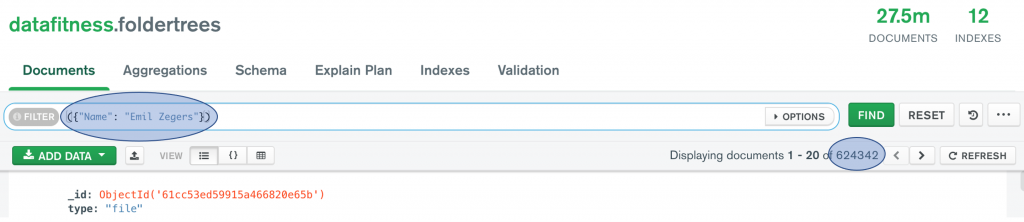
This information is now used for further analysis to find all content from a specific user (or Windows system user or group), and detect and report on changes over time. The code statement and screenshot from Compass below give an idea of how to get this data for a user. In Data Fitness user friendly reports (on changes over time on numbers, size, location, type of files and more…) are generated and can be send to relevant users.
Bij DataEther blijven we keihard werken aan de verdere ontwikkeling van de Data Fitness software, terwijl we tegelijkertijd een Proof of Concept ermee uitvoeren. Deze combinatie is een erg waardevolle leerschool waarbij we opgedane ervaringen uit de praktijk meteen toepassen in de volgende verbeterslagen van zowel de software als de analyses.
Een van de aandachtsgebieden nu de hoeveelheid data flink groeit, is efficient gebruik van resources van het cloud platform, en op peil houden of beter zelfs verbeteren van de performance.
Daar moeten we als ontwikkelteam zelf slim in zijn (lukt meestal aardig…), maar wat hulp is nooit weg. Het is daarom mooi om te zien dat de standaard mogelijkheden van het MongoDB Atlas application data platform zoals de Performance Advisor, ons ook snel verder helpen.
At Data Ether we have been working on the DataFitness ControleOne Agent engine for quite some time. It felt a bit like a lot of hours working in the paddock, some laps on a small test circuit, and then when the current Proof of Concept started finally running in the real world, finding some obstacles on the roads and even hairpin turns. We did not bump into anything really hard, or fell off in any of those sharp corners but had some additional work to do for sure.
So after spending quite a bit work under the hood again, we just released a new version of the engine with loads of updates and improvements. Still some more on the wish list but this already makes the engine run way smoother.
Maybe you wonder “why the engine analogy?”. Well there are a few reasons for that:
I like motors so this is a good excuse to add some nice pictures to this post because motors have engines 🙂
The DataFitness ControleOne Agent is expected to run every time all of the time in different environments (support for multiple operating systems) steadily and reliable, without any issues or hick-ups whatsoever. Making changes because of unexpected events when executing tasks is not an option, just like you normally cannot fix the engine when driving, so it should be more than good enough to anticipate and handle all different kind of situations.
Short overview of what the ControleOne Agent engine does:
Run an automated preconfigured self-install without any user interaction needed after kick-starting it (means running a bash shell script or Windows installer).
The Agent identifies the environment, and stores this information for further reference.
Securely reach out the the cloud environment to verify its identity, and request encryption key and credentials for information upload.
Initial scan to self-test all capabilities (meta scan, content scan, content upload), storing the results so the setup can be compared online with expected outcome.
When done, acknowledge the finished tasks to the cloud environment, and report success back to the customer, so custom configuration about the locations to scan can be added.
Run these scan tasks one-by-one or in parallel, using one or multiple time schedules, and sending the results to the customer cloud environment for further automated processing and storing.
Reach out to the cloud to request updates, additional configuration etc. Communication is only initiated from the customer environment (outgoing), never vice versa (incoming).
Of course there is more, like doing this at large scale on multi million file sets, collecting and transferring gigabytes of high density information while storing all results encrypted in both the customer environment and in the cloud, with secure data uploads in between.
And this is only part of what the engine does, while silently running out of sight. Just do the ground work for the next step where the actual business value is added: automatically applying multiple data conversions and rule based reasoning to create easy accessible insights that your organisation can directly act on (think online real-time search, charts and reports, assigned to relevant people and processes), providing feedback to monitor progress through time. Because you need to see and understand what actually happens with your data: get in control on your archiving, compliance and governance initiatives. But that is something for another post 🙂
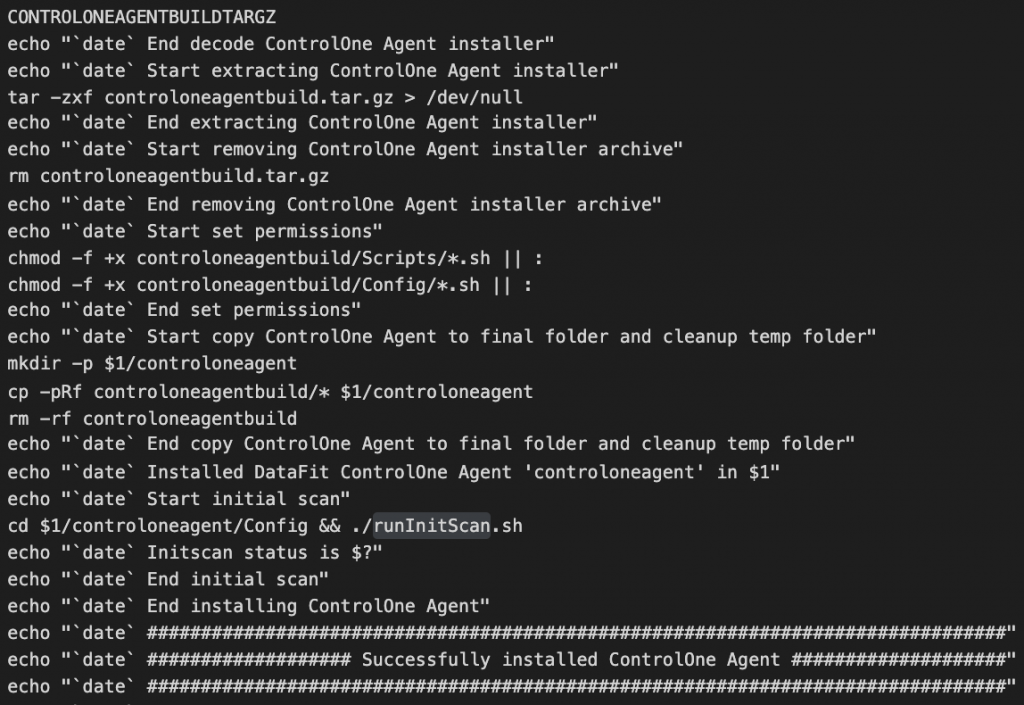
A blog post like this should include some code, just adding a few lines from the installer script
*) Note that most of my professional work is done in presales environments, and I do have a slight preference quickly developing reliable and stable Q&D ** solutions with a minimalistic approach, yet ready to run in production, almost… 🙂 Comments are welcome!
Security is a main ingredient in the software development lifecycle nowadays. And even though you try to work with ‘security by design’ principles and ‘least privileges’ concepts in mind, sometimes you will get surprised. It is fair to say we encountered such a surprise recently while working on the Data Fitness ControlOne Agent.
Let’s say you run your regular checks to see if any of your systems or home built applications are vulnerable (to something what turned out to be Log4Shell [1]) for example.
Then a very easy, fast and reliable way to start acquiring the info you need to take action (hopefully not…) is scanning your file systems, repos, images and Docker containers with Syft and Grype.
The following sections describe installtion and operation. Note that currently Syft and Grype work on MacOS and Linux.
Syft
Syft is a CLI tool and library for generating a Software Bill of Materials from container images and filesystems.
Syft saves the results in a json file, providing a full list of dependencies with lots of useful information.
Grype
Grype is a vulnerability scanner for container images and filesystems, it can use Syft results as input. On first execution it will download the vulnerability database.
brew tap anchore/grypebrew install grype grype sbom:./syft_controloneagent.json -o json > grype_controloneagent.json ✔ Vulnerability DB [updated] ✔ Scanned image [26 vulnerabilities]
😱 Tika 2.1.0[2] vulnerable for Log4Shell! (In this specific case not really harmful: using the app jar, not running as a service or server instance. In addition only vulnerable when log4j is configured to be used, and when interface actually passes messages to log4j. But good to take action anyway…).
🤔 Tika 1.2.6 not vulnerable for Log4Shell, although it is good to update to latest 1.x release, currently 1.27.
Ok, 26 vulnerabilities to check, so get your security team on it! 🙂 (To be fair, all vulnerabilities are reason for attention, but not all require action. However, to understand what is relevant tooling like Syft & Grype is indispensable.)
TIP:Use jsonpath [3], a nice online tool to quickly browse the resulting json. Here is an example of filtering out the CVE ids.
Feedback?
Do you have some tips or questions about using Syft & Grype or similar tools? Let me know at emil@basaltaura.nl
At the DataEther website [4] you will find more information about the Data Fitness solution.
Link
Overview of links related to the content in this blog: